FIND DOUBLE ASSIGNMENTS BEFORE THEY FIND YOU
1. Search by input and move the suspect axis or press the button. In MSFS 2024 open the gear beside a conflicting mapping to inspect associated commands; set Filters to None if an expected command is hidden. 2. Repeat for every connected device. Searching one controller does not audit the rest of your desk. [58, Mapping Conflicts; Filters; Searching Options]
3. Inspect active contexts and profiles. A virtual controller from another utility can be another input source. For diagnosis, choose one route for a function and disable its competing route temporarily. 4. Repeat the exact action that caused the fault and restore only verified bindings. This is an isolation sequence using the documented context/profile model. [62, Device profiles and contexts; author-proposed isolation sequence]
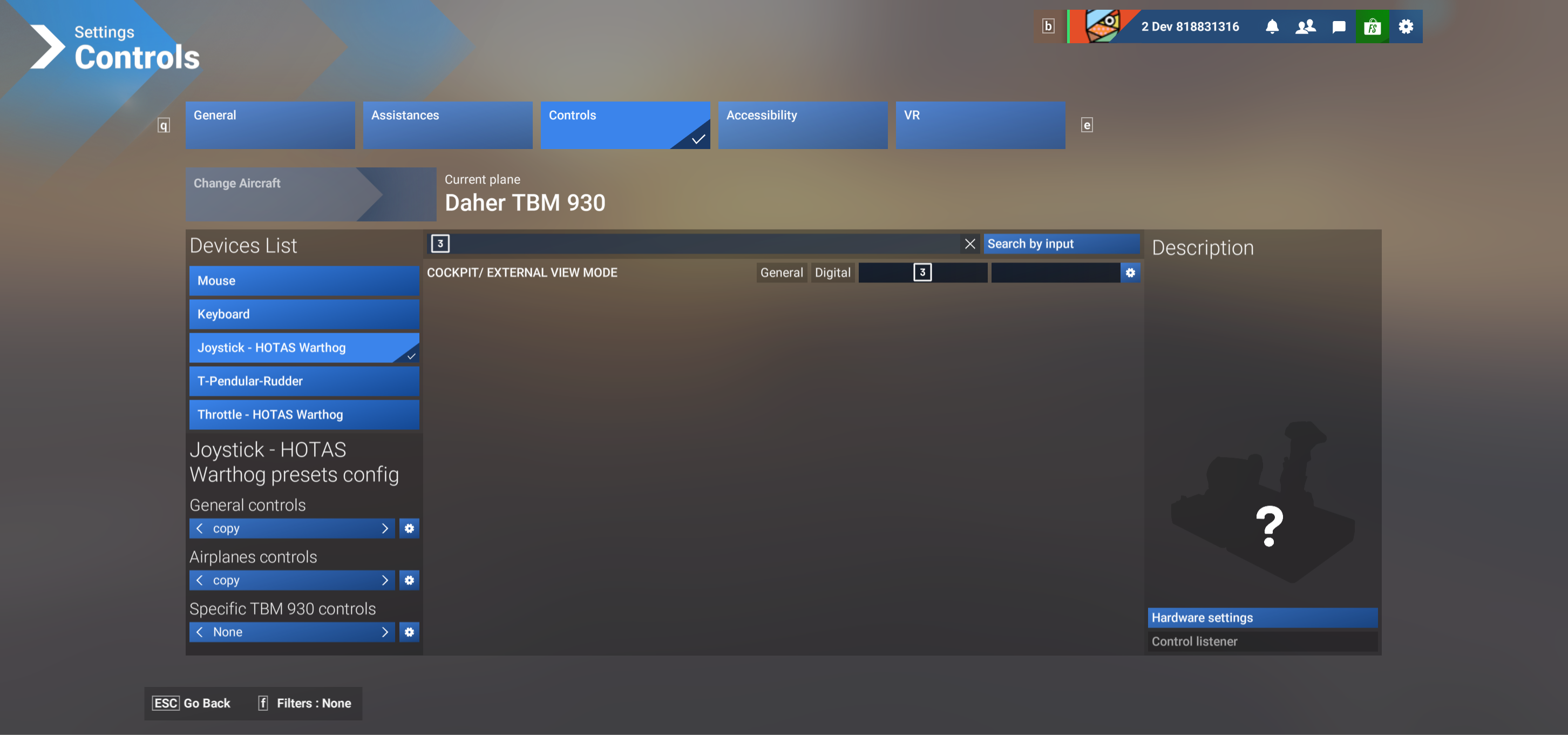
Official MSFS2024 Search by input example. Operate the physical control to find its assignments. [58, Searching Options]

Search by input: the official MSFS2024 control-search button, shown at readable detail. [58, Searching Options; Search by input example]

Example result: the search has identified a cockpit/external-view assignment. Check for unintended commands attached to the physical input. [58, Searching Options; Search by input example]