DIR TO AND ABEAM PTS: IMMEDIATE TRAJECTORY REVISION
DIR TO changes the active trajectory from present position towards the selected target. That differs from editing a future connection after a named fix. The source also offers ABEAM PTS, which projects suitable skipped route references onto the direct path. Fenix V3's documented changes corroborate the function family, but the detailed projection and constraint rules here remain those of the identified Thales standard. [66, PDF pp. 342-350] [82]
1. Select the actual cleared target. Press DIR and choose the intended existing flight-plan waypoint or enter its identifier. Resolve ambiguity by the geographic object. Read the selected target and distinguish it from another occurrence of the same fix in a hold, approach or later return. If the target is outside the existing route, expect to establish the onward connection rather than assuming it has one. [66, PDF pp. 342-350]
2. Read the selected direct option. Check whether DIRECT TO or ABEAM PTS is selected; defaults are option-dependent. Inspect the temporary track from the actual aircraft position. With ABEAM PTS, generated references mark projected positions, not continued flight through the old fixes. A familiar-looking projected name therefore does not prove that the original waypoint restriction still exists on the shortcut. [66, PDF pp. 342-350]
3. Audit the lost segment. The cited guide explicitly removes speed, altitude and time constraints associated with bypassed original waypoints instead of transferring them to abeam points. Review any continuing clearance requirement separately. A shorter lateral route can also move T/D and deceleration demands. Compare the new fuel/time picture only after the new geometry is understood. [66, PDF pp. 342-350]
4. Insert at the intended moment. Confirm the direct path and select DIR TO INSERT. Then read the actual FROM/TO and FMA. The guide describes a turning point and capture path rather than a mathematically abrupt heading change. Verify actual NAV engagement instead of assuming that a line on the ND proves the active lateral mode. Radial interception is a different branch covered next. [66, PDF pp. 342-350]
5. Cancel or repair deliberately. Before insertion, use DIR TO ERASE to retain the existing route. If the direct has already been inserted incorrectly, establish the intended cleared route and make a new understood revision. Do not try to reconstruct the whole skipped segment by repeatedly selecting targets while the aircraft turns. Record which constraints and future joins need renewed attention after the repair. [66, PDF pp. 342-350]
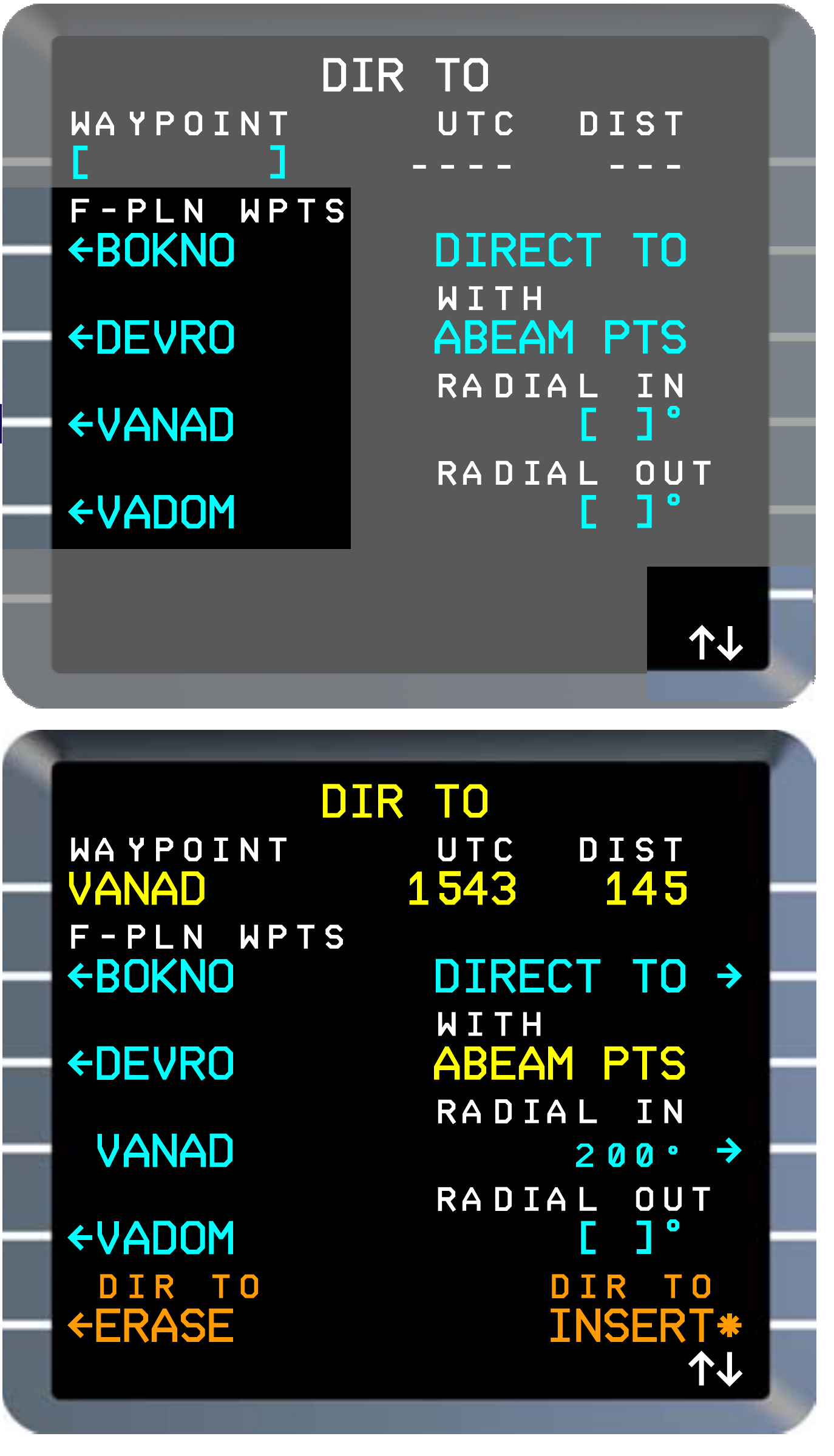
Manufacturer reference: DIR TO proposal and temporary route insertion with ABEAM PTS. Complete display panels from the identified Thales standard; source-example values. [66, PDF p. 344]
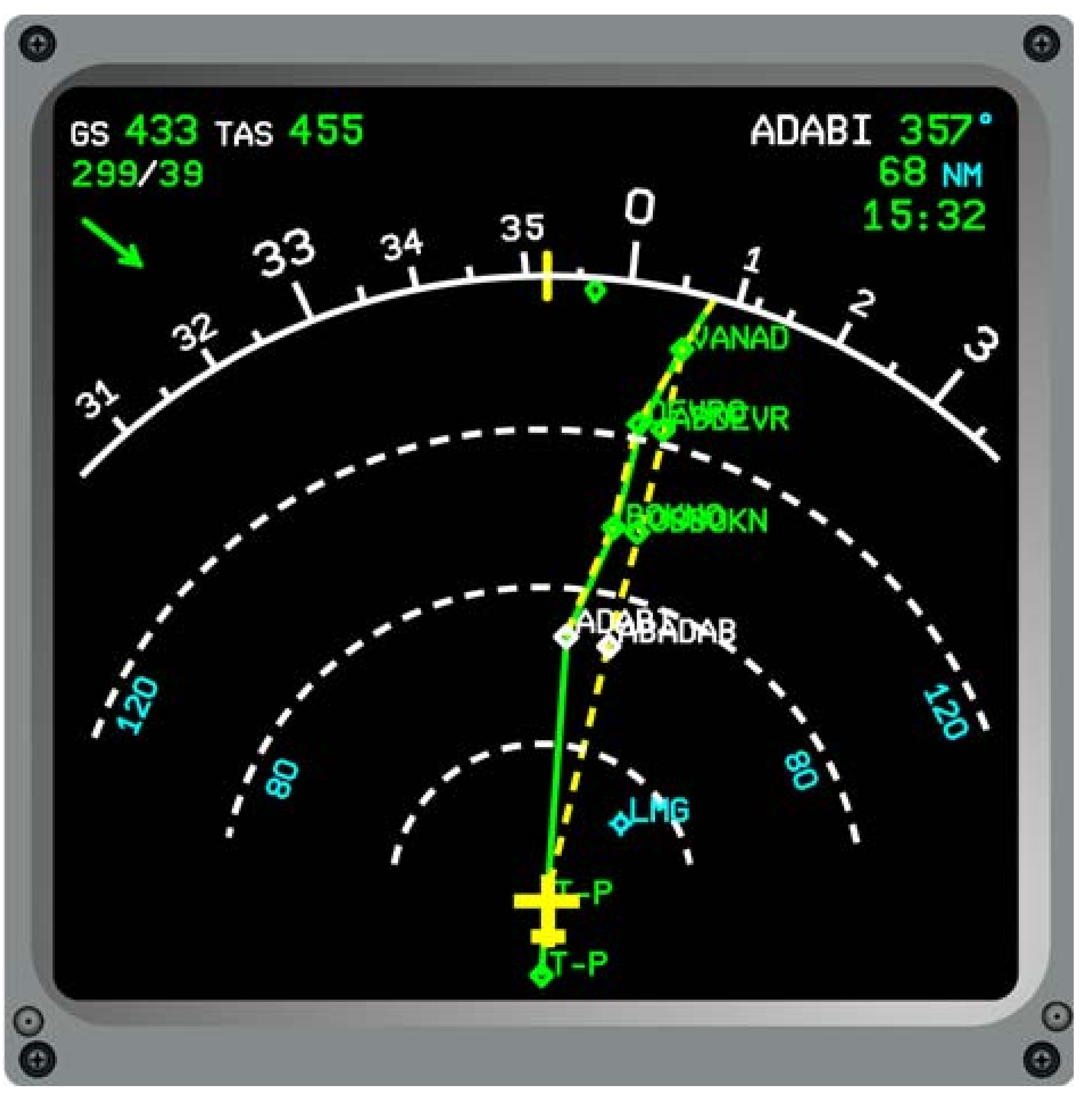
Manufacturer reference: the direct-to and projected abeam geometry on the ND. Complete source display; historical route and values, not the EDDF–EGLL clearance. [66, PDF p. 344]