MCDU PREPARATION: BUILD A CONSISTENT SET OF DATA
The MCDU preparation brings route, position, aircraft configuration, mass and performance assumptions together in the flight-management system. Treat those entries as a connected dataset. A route can be correct while its predictions remain unreliable because another input still belongs to the previous flight. [66, PDF pp. 71-80]
Use the page and line-select keys deliberately, with a readback of each accepted entry. A value in the scratchpad has not yet become the value in its destination field. When a page rejects an entry, establish the required format or missing condition before trying another number. [66, PDF pp. 71-80]
After data entry, use the navigation display and the resulting predictions to check the assembled plan. This exposes discrepancies that are less obvious while visiting individual fields: an unexpected turn, an inconsistent runway, or a fuel prediction that no longer agrees with the OFP. The crosscheck is the point at which the separate entries become a flight. [66, PDF pp. 99-128]
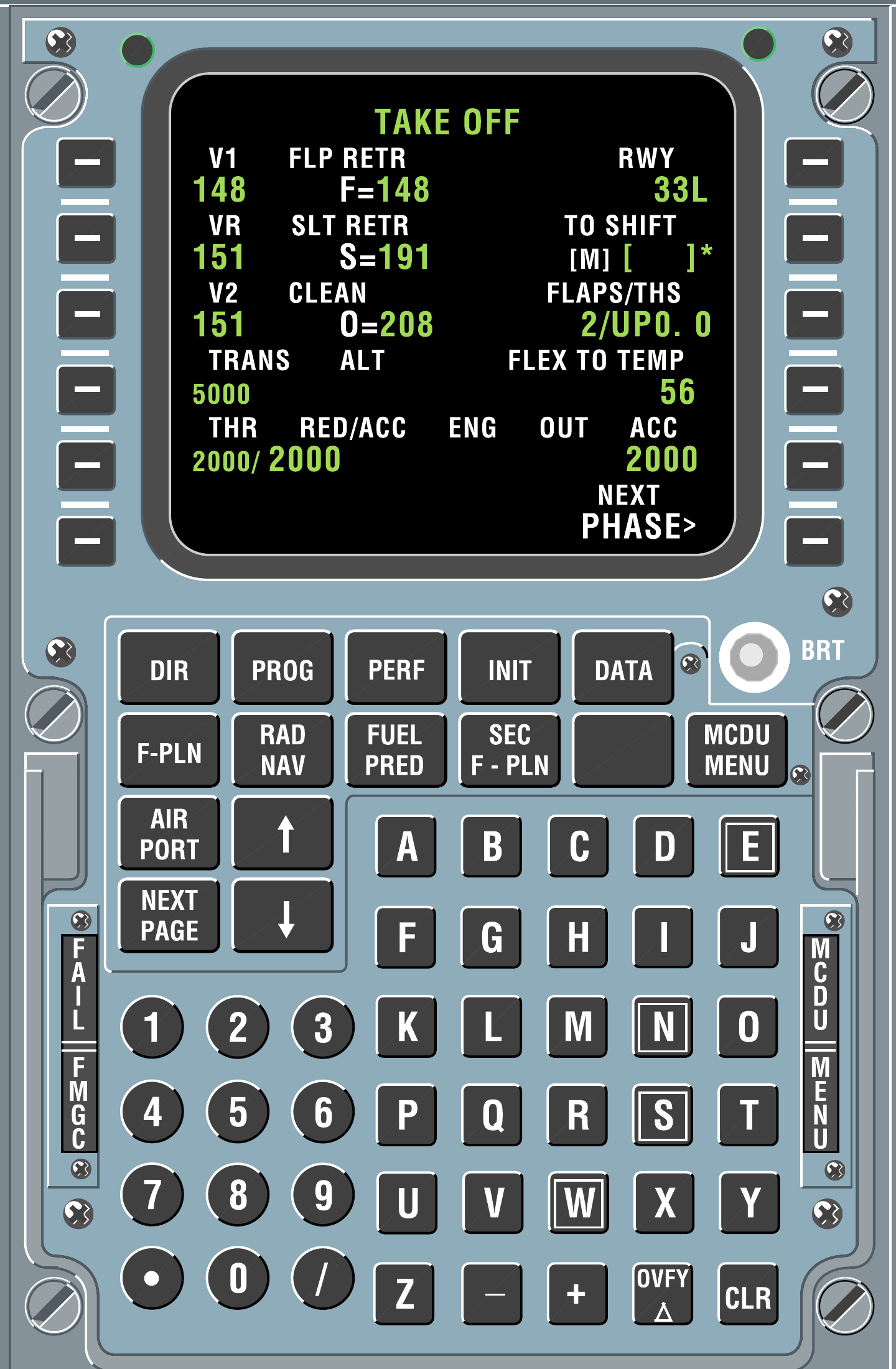
MCDU display, twelve line-select keys, page keys and keyboard. Original reference screen depicts a different flight; the exercise inputs are given separately. [99, PDF p. 1]
IN PRACTICE: A clean entry, a deliberate change
Before you begin: Aircraft powered and parked. Keep the current OFP available. This is an entry-and-review drill, not a request to rebuild an already verified flight.
1. Start with the destination field
Action. Find the field you intend to change and read its label and present value before typing. Use the value from the flight document, with the units and field order actually displayed.
Check. You know both what the entry means and which existing value it will replace. You are not relying on a remembered line-key position from a different page. [66, PDF pp. 73-74,79-80]
2. Read the scratchpad once
Action. Type the intended entry, then inspect the complete scratchpad before selecting the receiving field. Check the slash, decimal point and any direction or airport suffix that the entry requires.
Check. The scratchpad contains exactly the proposed value. A correct-looking prefix has not hidden a wrong final digit or airport letter. [66, PDF pp. 73-74,79-80]
3. Verify the accepted result
Action. Select the line key beside the target field. Read the value now displayed in that field, rather than judging success from the disappearance of scratchpad text alone.
Check. The intended field contains the intended value in the MCDU display format. Any derived or associated field that changes is also understood. [66, PDF pp. 73-74,79-80]
4. Treat a rejection as a rejected entry
Action. If a format, database or entry-permission message appears, check the target page and entry format. Clear the message to work on the problem; then correct and submit the intended entry.
Check. The message has been resolved and the receiving field has actually changed. Clearing a message has not been mistaken for acceptance. [66, PDF pp. 73-74,79-80]
5. Separate proposal from commitment
Action. When a route change opens TMPY F-PLN, inspect its affected legs and the ND geometry. Select INSERT only for the route you intend; use the offered ERASE function to abandon an unwanted proposal.
Check. The active route agrees with the reviewed proposal, or the original route remains intact after the proposal is erased. [66, PDF pp. 312-314]
Complete when: You can distinguish an accepted entry, a rejected entry and a temporary route revision, and you have left the intended active data in place.