APU PREPARATION, START AND OUTPUTS
The APU provides two outputs used in ground preparation: electrical generation and pneumatic air. Keep their availability and routing separate. A running APU may be ready while the buses remain on another source, and electrical availability does not establish the bleed-air path required for an engine start. [64, PDF pp. 2–3] [67, PDF pp. 2]
Complete the normal preparation and fire-test sequence, then select MASTER SW and START as required. Monitor the APU page through intake opening and acceleration to AVAIL. The start request begins the sequence; the indication confirms the state reached. Allow the sequence to develop before adding selections that depend on its completion. [59, PDF p. 4] [64, PDF pp. 5–6]
For electrical use, confirm generator readiness and the actual source connection. For an APU-assisted start, confirm APU BLEED and a usable start-air route. After the engines have assumed the required loads, remove APU use in accordance with the normal procedure and allow its shutdown sequence to finish. Check the receiving systems as well as the APU itself. [64, PDF pp. 5–6] [67, PDF pp. 7–8]
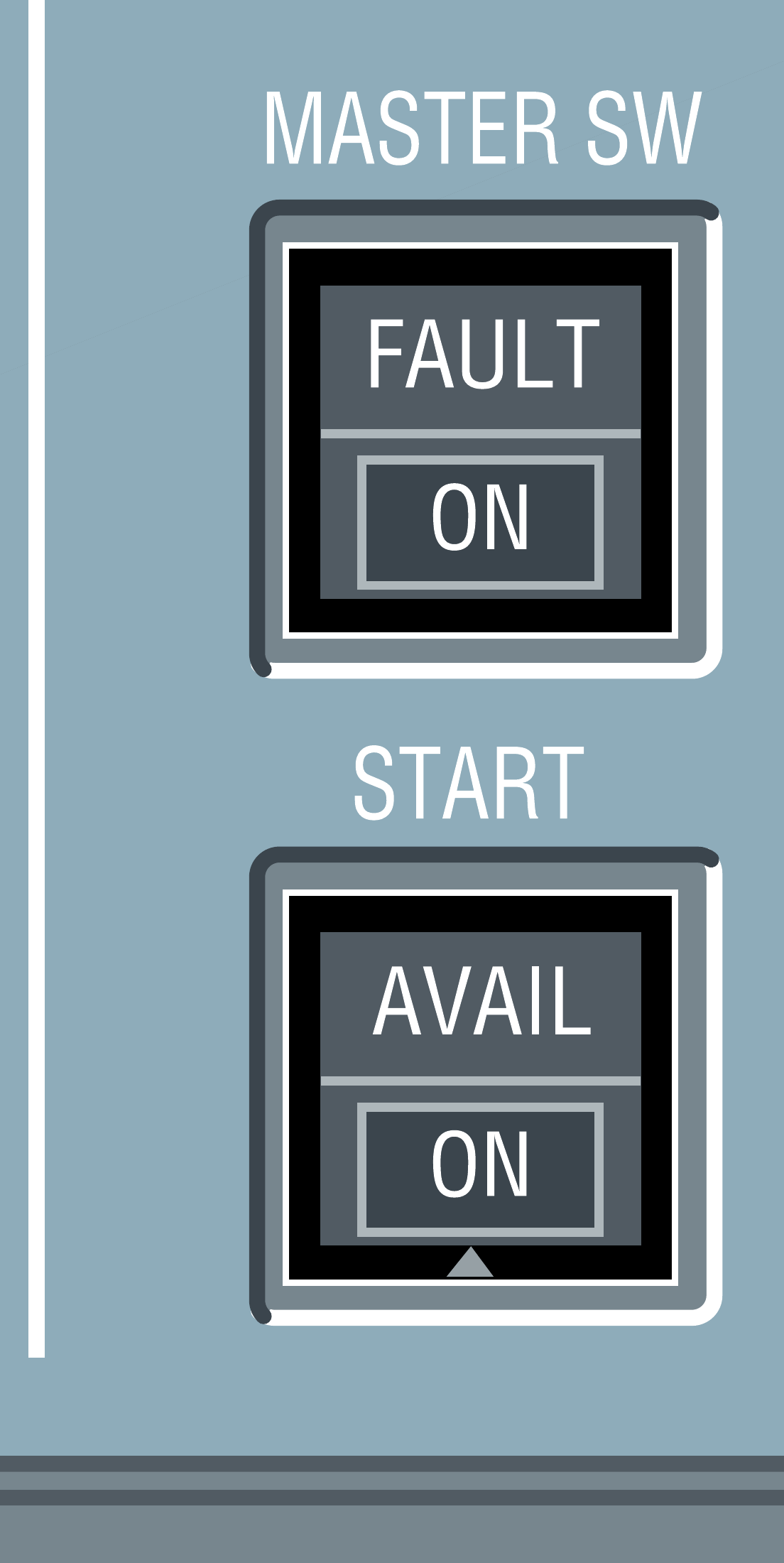
APU MASTER SW and START controls. [63, PDF p. 1]
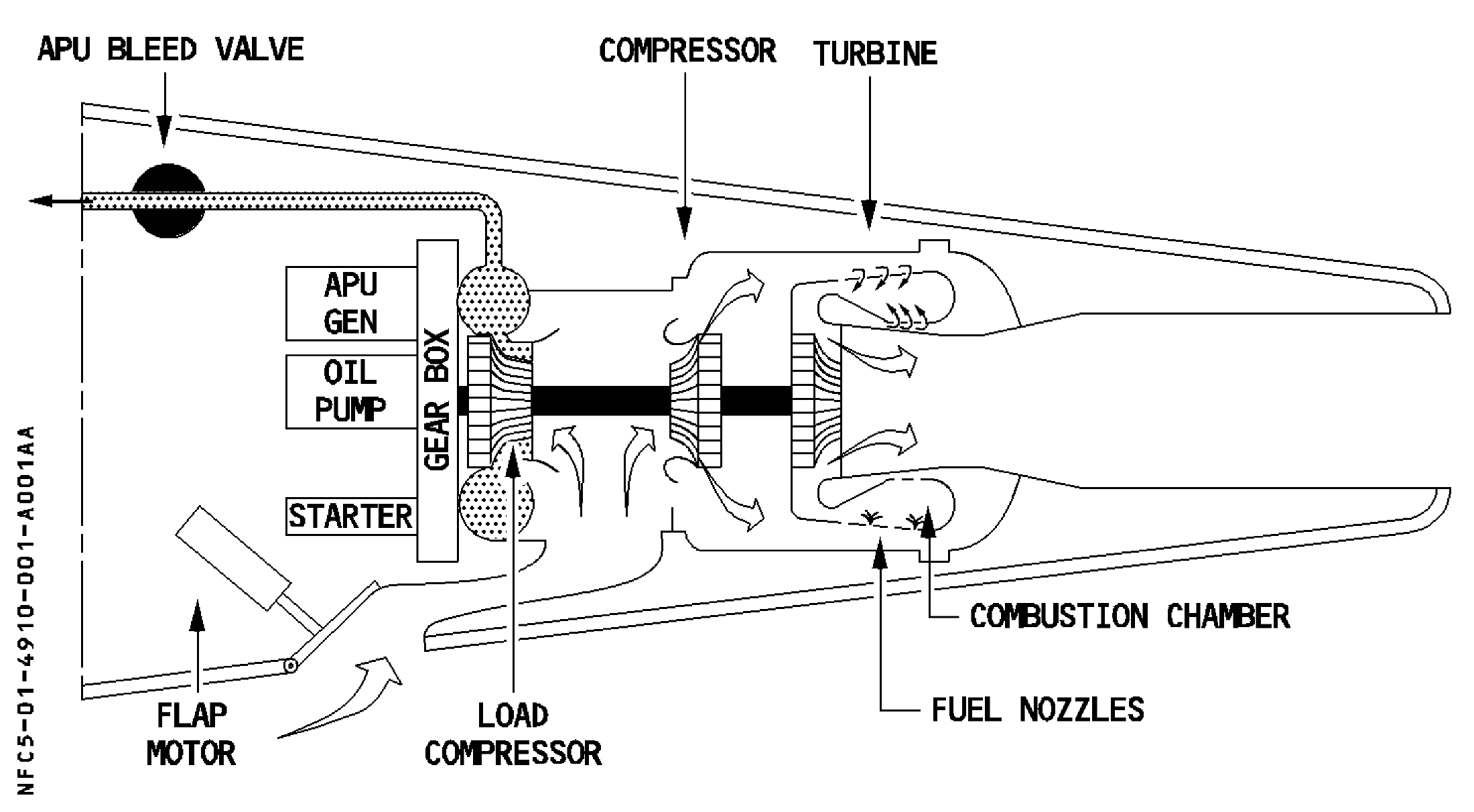
APU compressor, turbine, generator and air path in the original source. [64, PDF p. 2]
IN PRACTICE: APU: prepare, start, then identify the outputs
Before you begin: Stable electrical supply, secure stand and normal APU fire-test preparation complete. The area/service situation permits an APU start.
1. Confirm the starting state
Action. Check the guarded APU FIRE control in its normal position and that the normal APU fire test has been completed. Review the intended use of the APU: electrical supply, bleed air, or both.
Check. The start has a defined purpose and the required normal preparation is complete. [23, PDF p. 989]
2. Select MASTER SW
Action. Select APU MASTER SW ON. Observe the panel indication and the APU information shown on ECAM; call the APU page if it is needed for monitoring.
Check. The APU preparation sequence has begun and its monitoring information is available. [64, PDF pp. 5-6] [23, PDF pp. 990,992]
3. Request the start
Action. Select APU START and watch the sequence. Follow inlet-flap/open information, rotor-speed increase and EGT response on the APU page as displayed by the installed simulation.
Check. The start is progressing and its indications make sense together; the start request is not being mistaken for completed availability. [64, PDF pp. 5-6] [64, PDF pp. 8-9]
4. Wait for AVAIL
Action. Continue monitoring until the aircraft indicates APU AVAIL. Compare the panel and ECAM state before asking the APU to support the next part of the preparation.
Check. The APU has reached its available state. No fixed demonstration timing has been substituted for the actual completion indication. [64, PDF pp. 8-9] [23, PDF pp. 988-999]
5. Check electricity and air separately
Action. Use ELEC to identify whether APU GEN is actually supplying; external power may still have priority. If bleed air is required, continue with the pneumatic-supply workshop and verify that path on BLEED.
Check. Electrical availability, actual bus supply and pneumatic supply are individually understood. [62, PDF p. 6] [64, PDF pp. 2-4] [67, PDF p. 7]
Complete when: The APU is AVAIL and its electrical and pneumatic outputs have been checked separately for the next planned task.