USE THE EFB AS PART OF THE WORKFLOW
The V3 Documents app supports local PDF and Markdown files. The accompanying native edition uses reflowing text, chapter navigation and local images so the guide can be read alongside the flight on the EFB. Keep the supplied package together: a page may depend on an image stored elsewhere in that package. When preparing the first sector, open the chapters and illustrations you expect to need and check that they display correctly. This is the quiet moment to discover a misplaced file or unfamiliar navigation control. The EFB can then support the cockpit work when attention is needed outside the document. [65, Quick start; Supported file formats] [65, Links; Linking to other documents] [65, Images]
The numbered citations have a practical purpose. In the native EFB edition they lead to the guide's reference document and entry; in the PDF they lead to the reference list. The locator beside a reference identifies the supporting page or section. PDF page numbers count physical pages in the supplied file, which can differ from a manual's printed numbering. Use that locator when you want to inspect a system explanation or investigate an unfamiliar result. Also read the source's scope and date: an aircraft-system reference, a V3 workflow and a dated build note answer different kinds of question.
Keep the separate native checklists close at hand for the compact sequence. Their existing content is unchanged; the guide supplies the explanation, preparation and focused practice around them. Choose the useful pages for the next phase before the workload rises, and return to a longer explanation when there is time to read it properly. For our Heathrow approach, that might mean having the arrival preparation and approach material located before descent, then using the checklist at its normal stage. Good document organisation is simply another way of leaving ourselves enough attention to fly and monitor the aircraft.
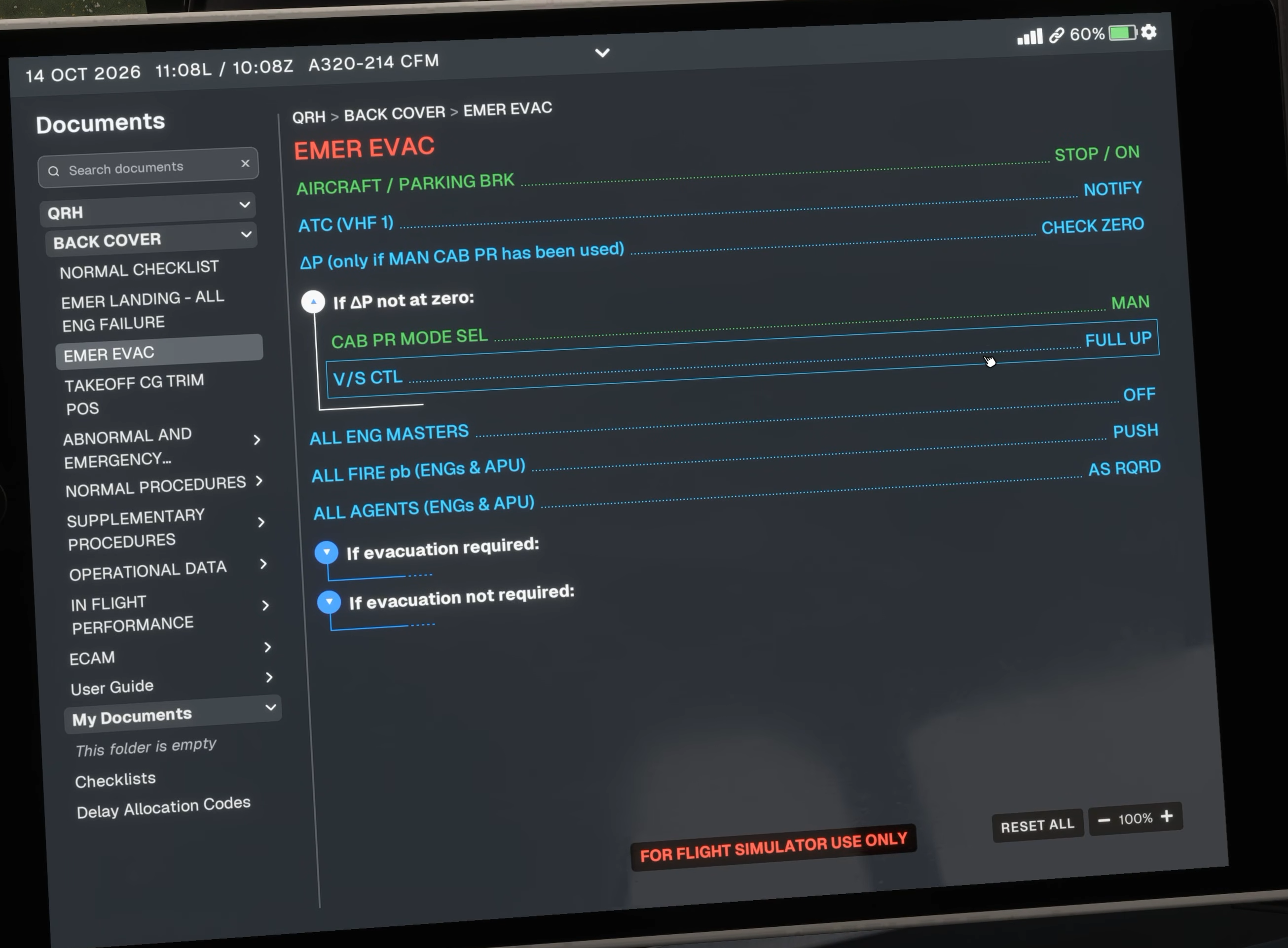
Original Fenix V3 Documents interface. EMER EVAC is selected in this source image; it illustrates navigation, not a normal-flight action. [2, Source illustration]