ECAM: INDICATIONS, ACTIONS AND THE REMAINING STATUS
ECAM connects engine indications, messages and system diagrams so that we can understand the aircraft's state. Become familiar with its normal picture during a normal flight. A configuration memo can describe an expected condition, while warnings and cautions call attention to other states. The system pages add the underlying information: which electrical source is supplying, how a pneumatic path is arranged, or what a system indication shows after a selection. Read the message alongside the relevant aircraft state. Learning the normal relationships first gives an unfamiliar indication a context, instead of making every new line of text equally mysterious. [13, PDF pp. 65-74]
For an abnormal practice scenario, maintain the flight path, identify the applicable message and procedure, and confirm the result of each required action. Review STATUS for the condition that remains after the initial response. A completed action does not necessarily return the aircraft to its original capability; the remaining status helps explain what the flight must now take into account. The ECAM philosophy connects information, action and workload. Use the applicable procedure for the scenario rather than assembling an improvised sequence from separate display items. The exercise should leave enough attention to keep flying and to understand the results of the actions taken. [13, PDF pp. 65-74]
Choose a defined training scenario and have its procedure available before beginning. Afterwards, record the starting condition, indications, actions and resulting status. If the outcome was unexpected, note the last state that was clearly understood and the first indication that differed from the plan. That makes it easier to distinguish a configuration issue, a misunderstood mode or system relationship, and simulator behaviour that deserves further investigation. Start with the normal-flight example in this guide and introduce additional exercises deliberately. A scenario becomes useful when its sequence can be explained afterwards, including the condition in which it left the aircraft.
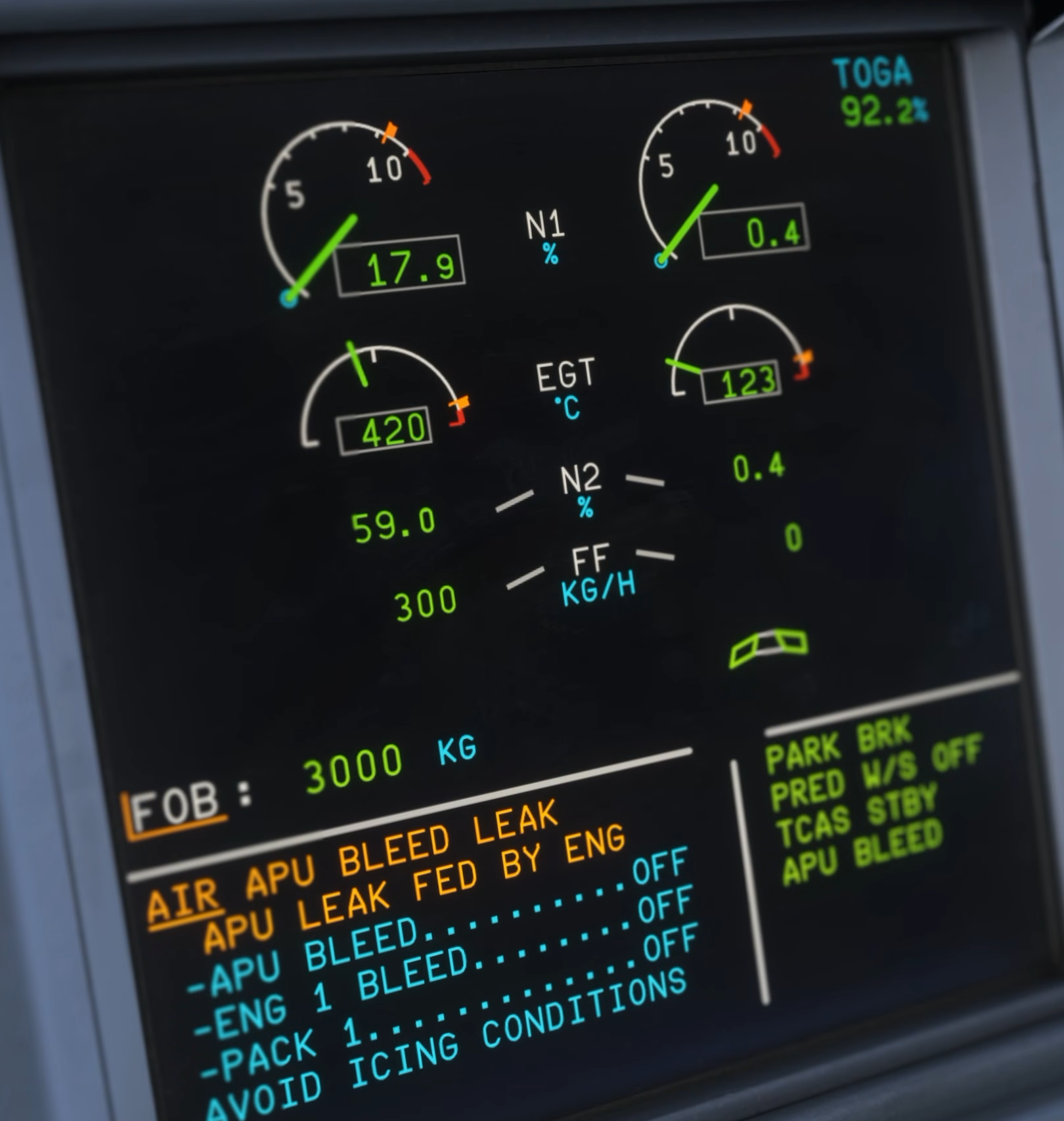
Original Fenix V3 warning-system demonstration: AIR APU BLEED LEAK appears in the E/WD. [2, Source illustration]