BEFORE THE COCKPIT COMES TO LIFE
A loaded flight can begin in several different panel states. A cold aircraft, a powered aircraft and a saved session do not leave you at the same starting point. Let Fenix finish applying the state you selected, then inspect what is actually there. First establish how the aircraft is being held at the stand. Chocks are the blocks placed against wheels; the parking-brake selection belongs to the aircraft's braking arrangement. When the indications are available, include the relevant brake and accumulator pressure in your check. The handle tells you what was selected, while the ground arrangement and indications help establish effective restraint. [14, PDF pp. 988–990] [19, PDF p. 4]
Next, read the controls that could make an unwanted command during power-up. The thrust levers should be at IDLE, both ENG MASTER switches OFF, the ENG MODE selector at NORM and the landing-gear lever DOWN. Check the wipers are OFF. Look at the flap handle and the actual flap/slat positions, and establish that the speed-brake lever is retracted and disarmed. Connected hardware belongs in this inspection. A physical lever or switch can send a fresh command when the aircraft becomes active, even if the saved panel state had placed the cockpit control somewhere else. [14, PDF pp. 988–999] [19, PDF p. 4]
Use a repeatable preparation flow so an unexpected state becomes easier to notice. A flow is an organised way of visiting related controls; it is not permission to stop reading them. If a lever position and the visible surface position disagree without an explanation, settle that before adding the next source of power. As more systems become available, the displays will give you more evidence. Work from that evidence rather than assuming that every unfamiliar indication is a fault or that a saved state must have arranged everything correctly.
At Frankfurt, let this first pass be unhurried. Establish that the aircraft is secure, the intended initial controls are set and the visible surfaces make sense. Then begin the electrical preparation. This order makes later changes easier to understand: if the cockpit was in a known state before you selected power, you have a much better chance of identifying what the new selection changed. You are building a starting point for the flight, not merely finding the first switch on a list. [14, PDF pp. 988–999] [19, PDF p. 4]
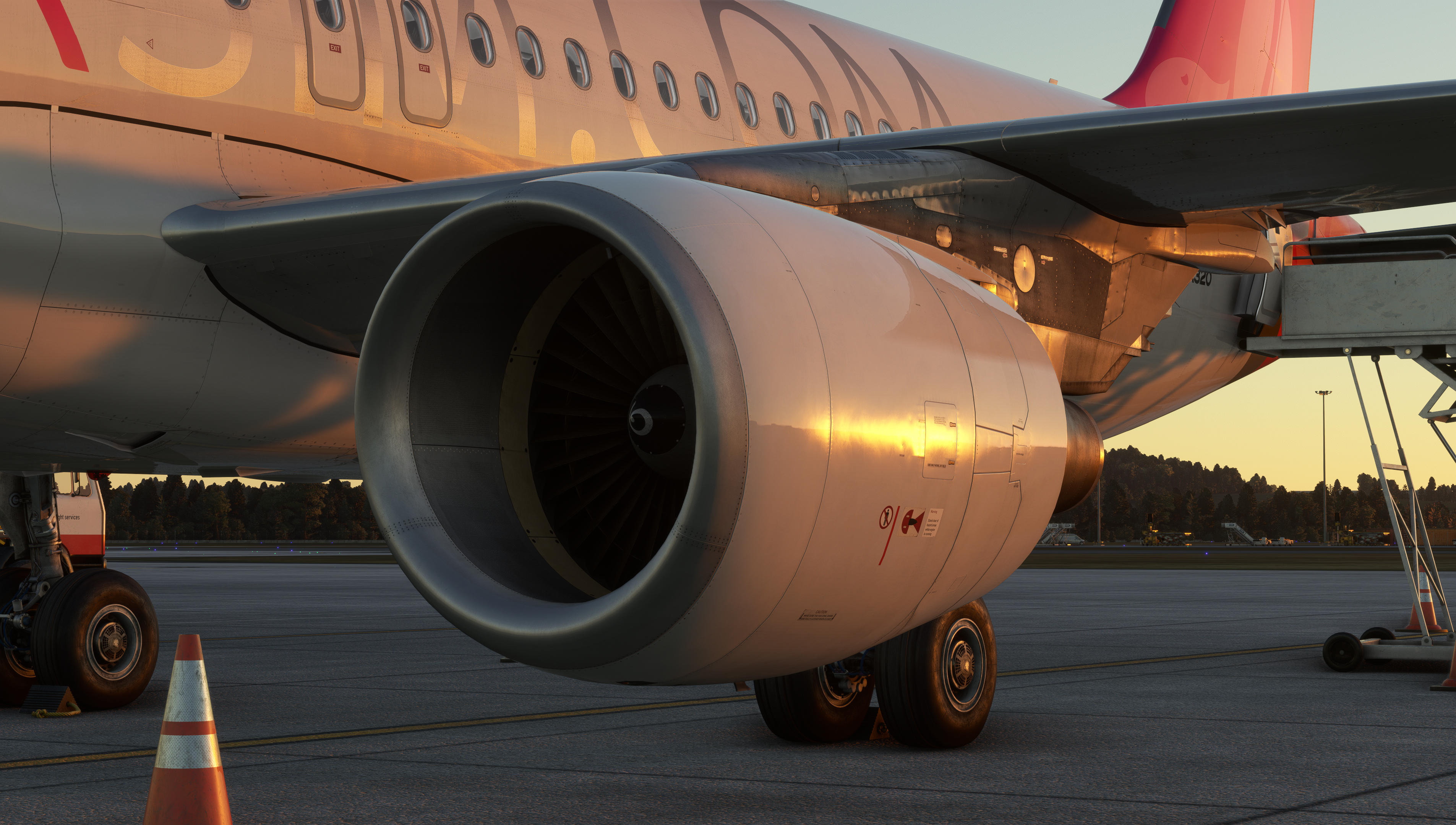
Original Fenix A320 engine and landing-gear exterior view. [1, Official A320 gallery]
IN PRACTICE: Establish a known aircraft state
Before you begin: Aircraft parked. Begin with the intended Fenix panel state and the stand/service situation you actually loaded; do not assume the previous session left the same configuration.
1. Let the selected state finish loading
Action. Load or activate the intended Fenix panel state and wait for its transition to finish. Then inspect the aircraft rather than beginning preparation while the saved state is still being applied.
Check. Controls and displays have settled into the selected starting state. Subsequent changes are your own deliberate actions. [21, Panel-state selection, activation and completion of the loading transition]
2. Confirm the stand is secure
Action. Check the actual chock/ground-service state and parking-brake selection. When brake indications are available, include accumulator/brake pressure in the confirmation; a handle position alone does not establish effective restraint.
Check. The aircraft is held securely and its available braking state is understood before other services or system changes begin. [14, PDF p. 991]
3. Read the engine and gear controls
Action. Confirm both ENG MASTER switches OFF, ENG MODE selector NORM and thrust levers at IDLE. Check the gear lever DOWN and wipers OFF before applying or changing electrical power.
Check. The initial power-up will not begin with an unintended engine command or an inappropriate gear/wiper selection. [14, PDF p. 988]
4. Compare controls with actual surfaces
Action. Inspect the flap-handle position and the actual flap/slat state, using the exterior view and ECAM when available. Check the speed-brake lever retracted and disarmed. Resolve an unexplained mismatch before adding hydraulic power.
Check. The lever positions and visible surface positions form a coherent starting state. Hydraulic power is not being used to conceal an unexplained discrepancy. [14, PDF p. 991]
Complete when: The aircraft is secure, the controls are in the intended initial positions, and no unexplained control/surface mismatch is carried into power-up.