FCU SELECTIONS: CLEARANCE, TARGET AND MODE
The Flight Control Unit, FCU, is the panel on the glareshield with speed, heading, altitude and vertical-guidance controls. The flight plan contains the longer journey; the FCU lets us deal with the immediate clearance. Turning a knob sets a target. Requesting a mode tells the guidance how we want to use it. Those are separate actions, which is why a new number in a window may leave the aircraft doing what it was doing before. The knobs have not heard the clearance; translating it is our job. Choose the target and guidance, then read the FMA to see what changed. [13, PDF pp. 51-64]
The main speed, heading and altitude controls use the familiar Airbus push/pull arrangement. Pushing the applicable knob requests managed guidance, drawing on the flight-management plan; pulling requests the corresponding selected operation. Suppose ATC gives us a heading. In heading presentation, set that heading, pull the heading knob and check the active lateral mode and the turn. Managed NAV can be requested again when the route and clearance support it. Speed and vertical guidance have their own choices: selected speed does not automatically mean selected heading, and an open climb is a vertical mode rather than a description of every system. Read each FMA column for its particular job. [13, PDF pp. 51-64]
For normal climb and descent, the altitude window is especially important: it expresses the level we are authorising the guidance to reach. A lower altitude coded somewhere ahead in the flight plan does not clear the aircraft down to it. Set the cleared level, request the appropriate climb or descent mode, and check both the response and any applicable route constraints. The vertical-speed/path control has its own functions, so the push/pull rule should be learned alongside the actual control being used. Practise one change at a time. The useful skill is being able to explain the result before adding another request. [13, PDF pp. 51-64]
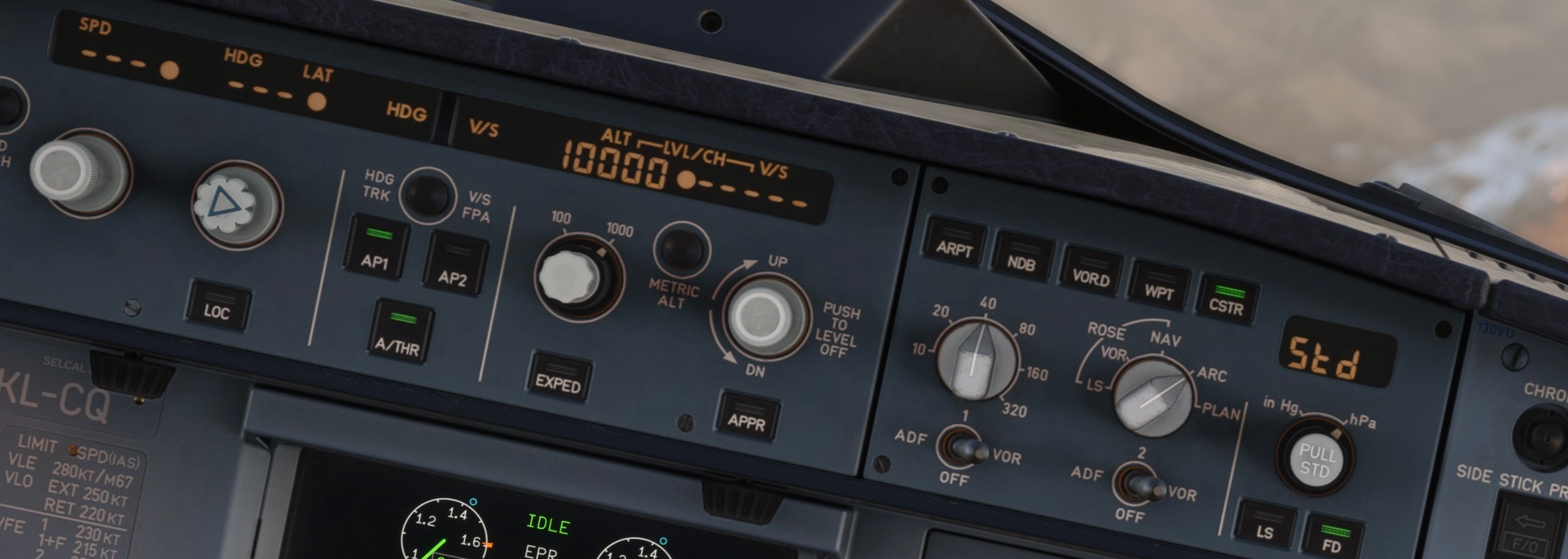
Original Fenix FCU/EFIS detail. ALT 10000 is selected; SPD/HDG windows are dashed. The far-left speed knob is outside this source view. [1, Source illustration]