ECAM: INDICATIONS, ACTIONS AND THE REMAINING STATUS
Use the normal ECAM picture as the reference for recognising a change. Engine indications, warnings, memos and system pages provide related information about the aircraft state. A system page can establish the source or configuration behind a message and help verify the result of an action. [13, PDF pp. 65-74]
When practising an abnormal situation, maintain the flight path, identify the applicable message and procedure and confirm the result of each required action. Review STATUS for the condition that remains after the initial response. The cited ECAM philosophy connects information, action and workload rather than treating each display item as an isolated instruction. [13, PDF pp. 65-74]
Choose a defined scenario, have the applicable procedure available and review the sequence afterwards. Record the initiating condition, indications, actions and resulting status. This makes the exercise useful for understanding the aircraft and for distinguishing a configuration error from unexpected simulator behaviour.
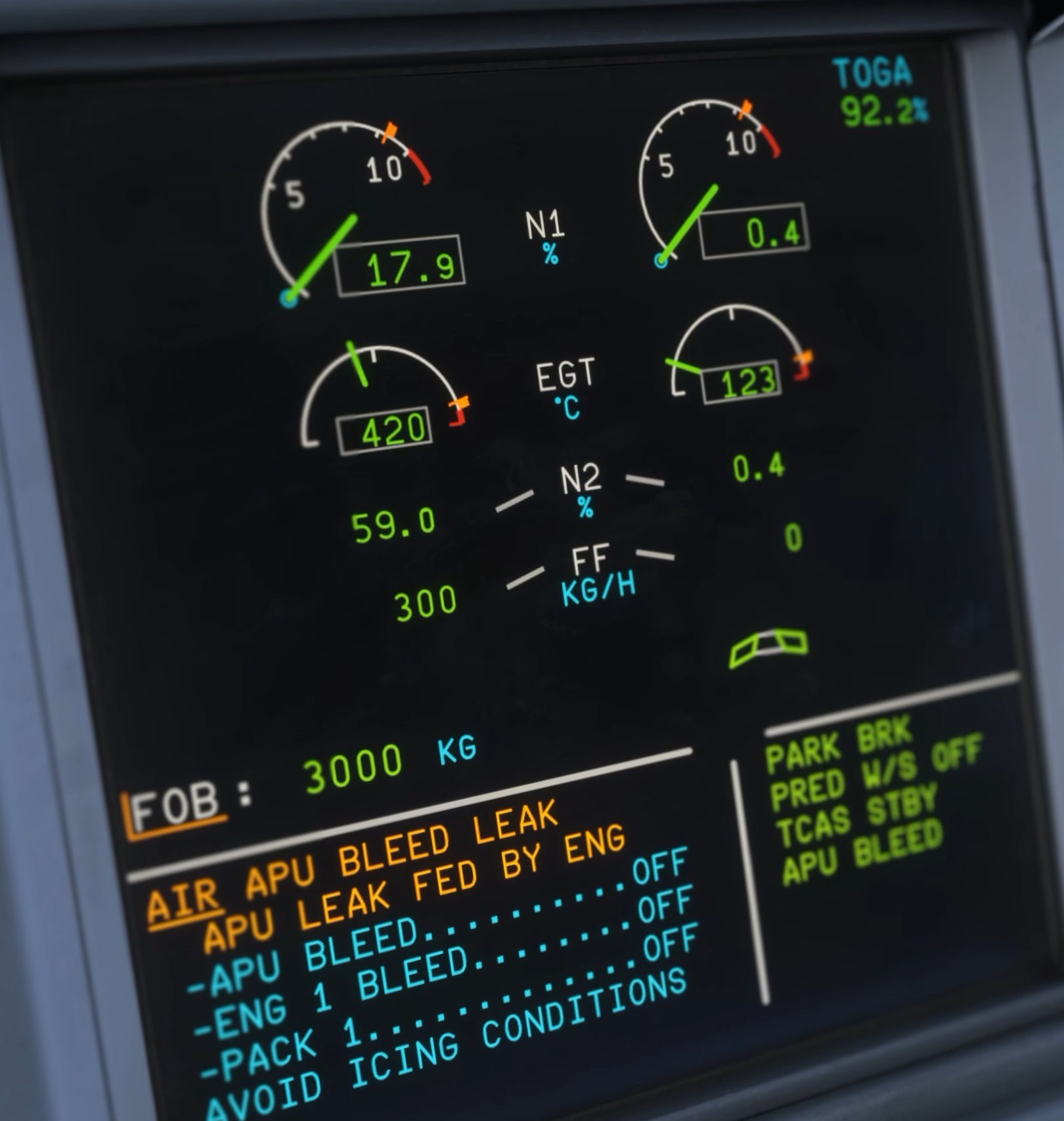
Original Fenix V3 warning-system demonstration: AIR APU BLEED LEAK appears in the E/WD. [2, Source illustration]